
What's new: Planning modes.
Students and coaches have two more ways to create plans and goals in Lunabeam: Manual and Assisted. These planning modes add to the fully automated mode the platform offers today.
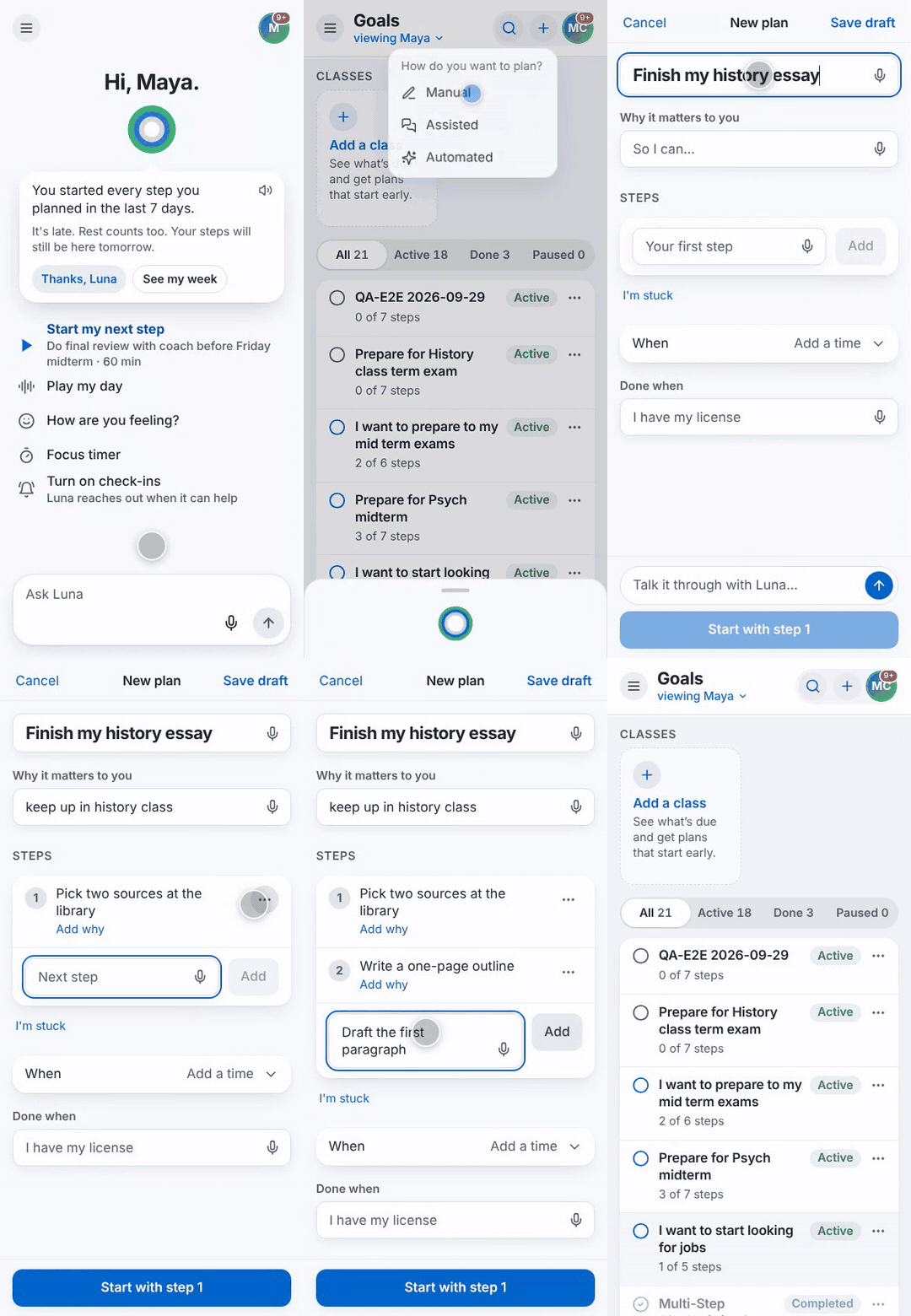
This is how is works. When students or coaches tap the “new goal” icon ("+"), they can now choose among three modes: Manual, Assisted, and Automated. This selection will determines the level support they will receive in creating the goal.
Your team has complete control. They can decide which options each student sees, and coaches can see who wrote each step. That gives you a simple number to track: how much of the planning students did themselves.
The new manual mode allows the student to write the whole plan in one simple form: the plan’s name, why it matters, the steps themselves, and when it's done. Luna stays out unless the student asks to talk it through.
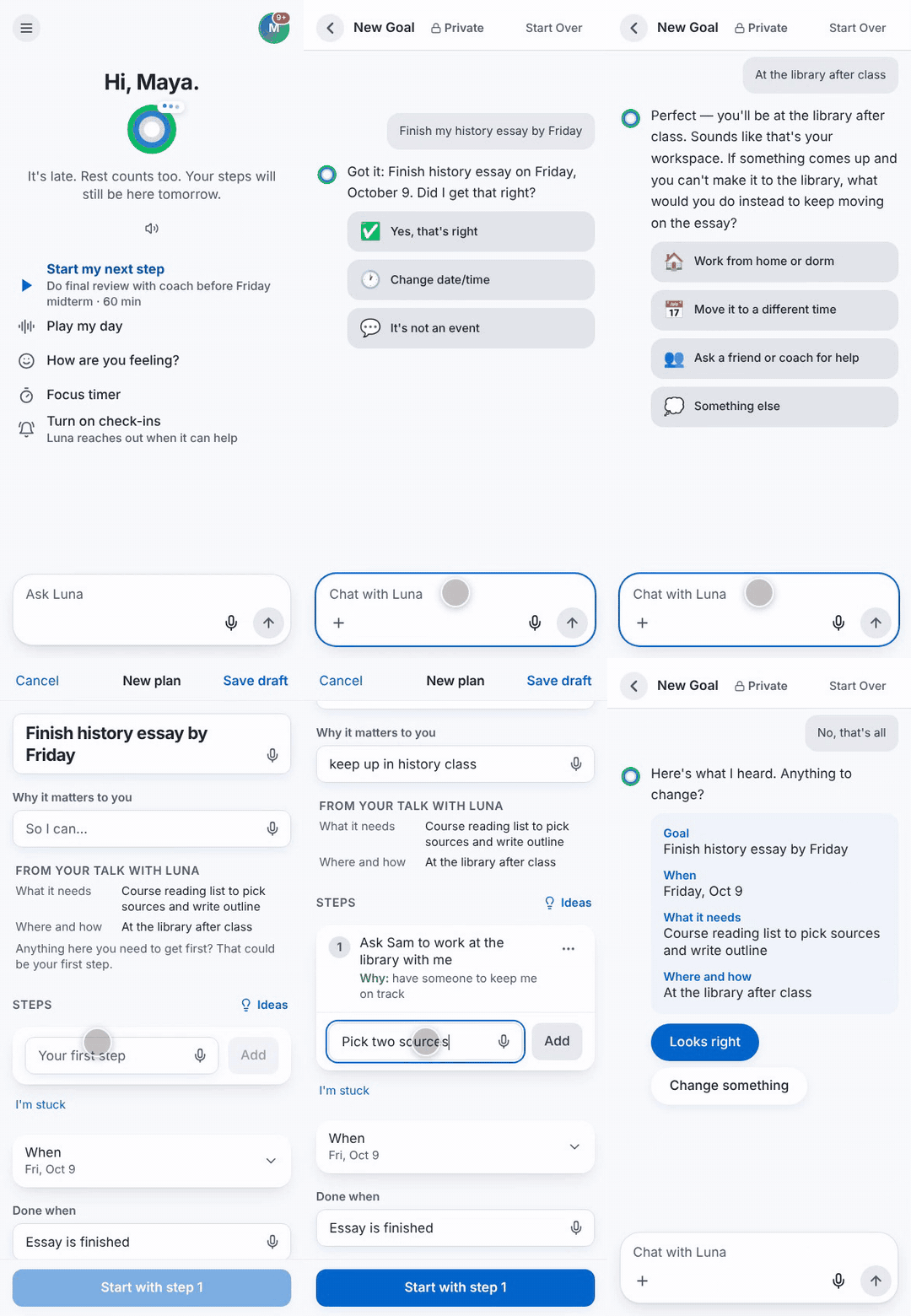
In the new Assisted mode Luna asks a few questions first to set the context (what you need, where you'll work, what gets in the way, who can help), then the platform allows the student to write every step in their own words. After each step, Luna simply asks how it helps in achieving the goal, but it doesn't write the steps for the user.
Users can continue to use the fully AI driven goal creation, which automatically generates plans and steps for the student. This mode is now available under the Automated mode.